Write your trading plan. Test it. Follow it.
SetupFlow turns your setup into five clear steps, tests them on your own price data, and walks you through the plan candle by candle in the live session. No code, no signals, no guesswork about what you would have done.
Launch price US$49 US$79 · one payment, no subscription · 2 computers · 14-day refund
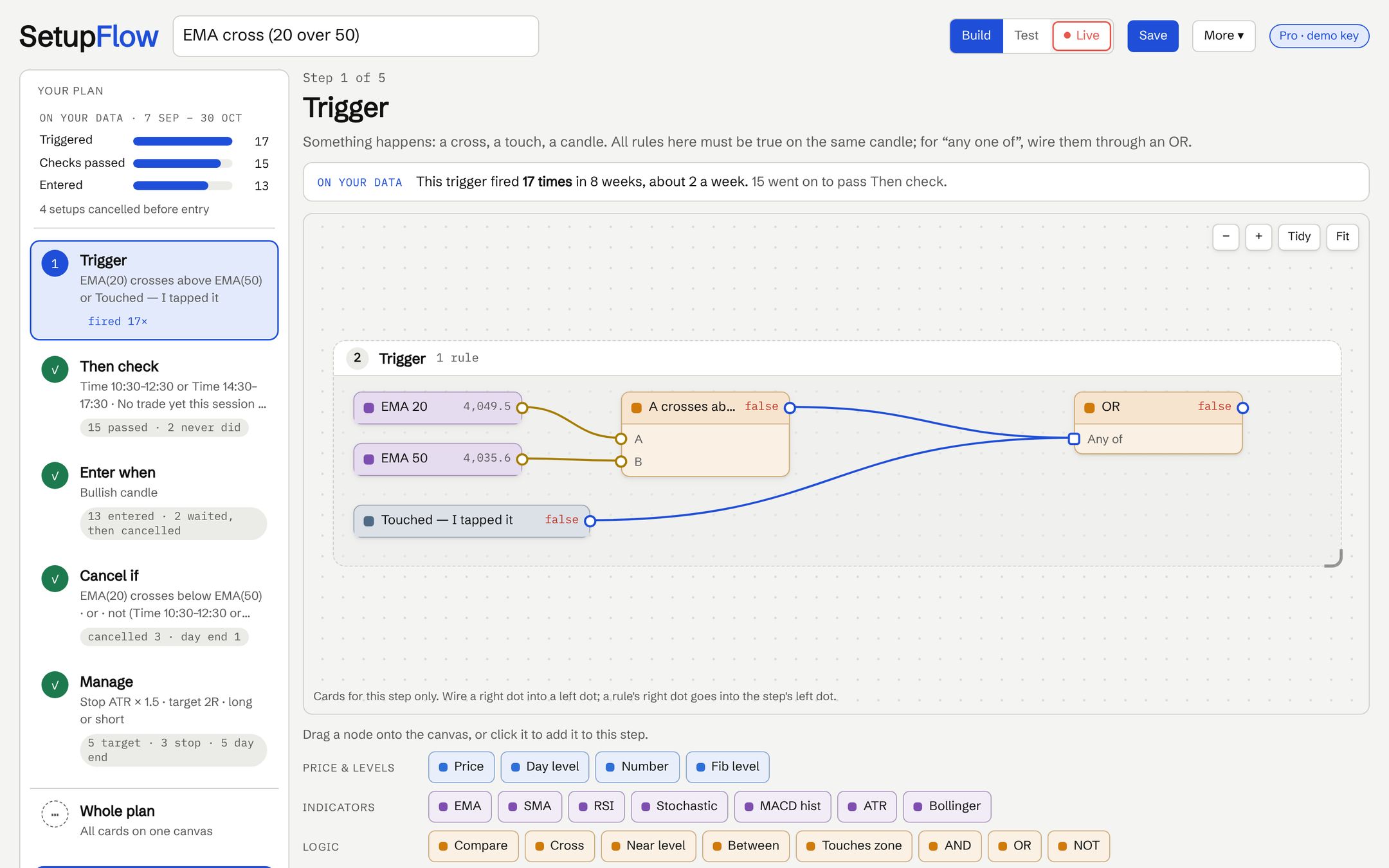
Your plan, in the order you trade it
Every plan in SetupFlow has the same five steps. You fill each one with rules you pick from a menu, like EMA 20 crosses EMA 50 or a bullish candle.
Trigger
Something happens: a cross, a touch of a level, a candle.
Then check
Once triggered, every check must pass: trend, time of day, your own judgement calls.
Enter when
The candle that gets you in, from the candle after the trigger.
Cancel if
What kills the setup before you enter, so you wait for the next one.
Manage
Stop, target, break-even and the end-of-day exit.
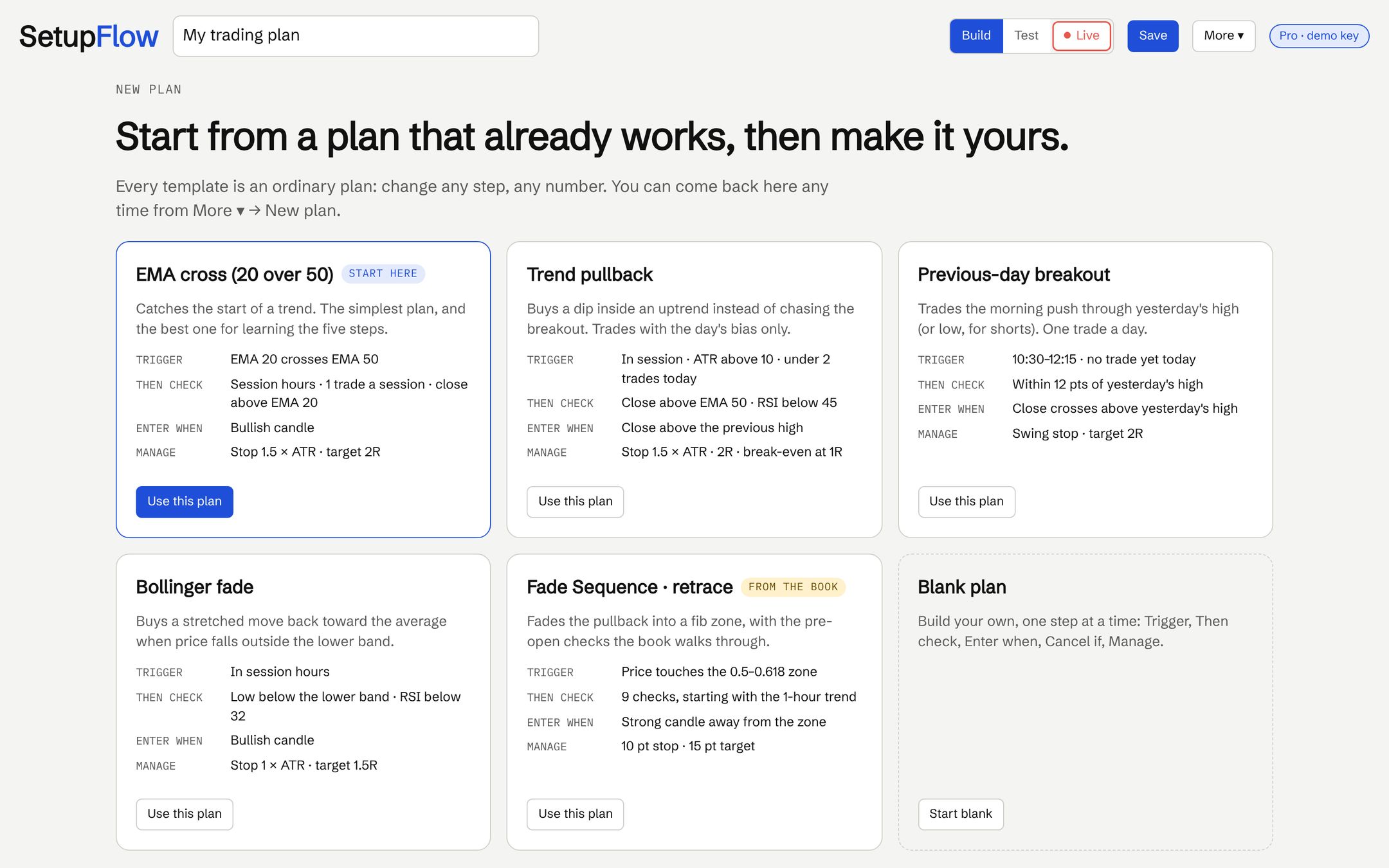
1 · Build
Start from a template that already works, or a blank plan. Each step shows, on your data, how often it fired and where setups stopped.
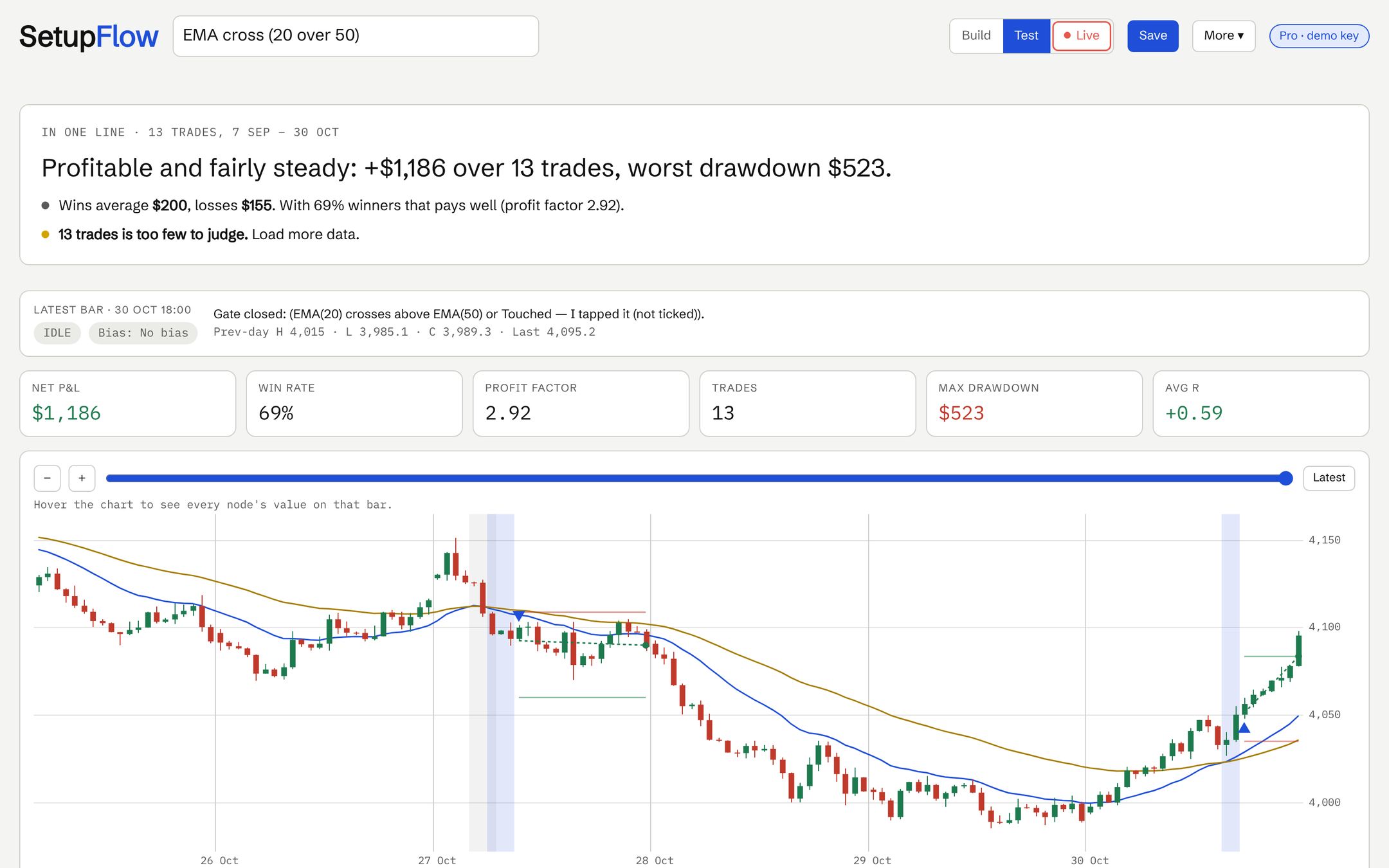
2 · Test
Load your own candles and press Deploy. You get every trade on the chart, the numbers that matter, and a plain-English verdict.
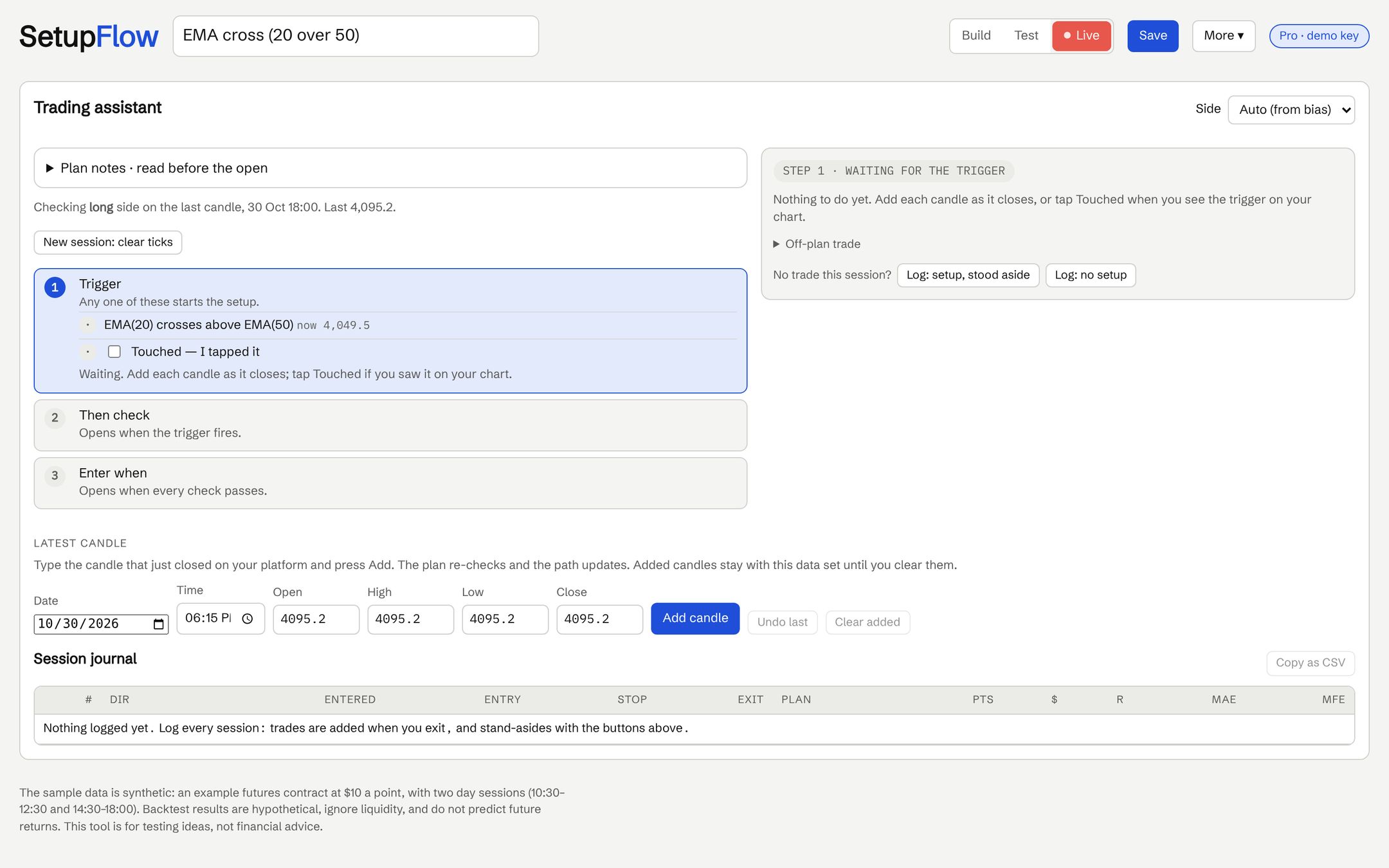
3 · Follow
In the session, add each candle as it closes. SetupFlow ticks off each step and tells you when the plan says enter, or wait.
Built so the plan stays honest
The same rules run in the backtest and in the live session, so what you tested is what you trade.
Your data, your market
CSV, TradingView and MetaTrader exports, NinjaTrader and Excel. Stocks, futures, commodities: anything with candles.
Mistakes caught early
A warning badge appears when a card can't work, like RSI compared with a price.
Every number checked
Indicators and trades were verified against an independent calculation on 25 plan and data combinations.
Stays on your computer
Plans and price data are saved in your browser. Nothing is uploaded; only your licence key is checked online.
Session journal
Log every trade and every stand-aside, on plan or off plan, and copy it out as CSV.
Guided first plan
Two step-by-step guides build a plan with you, one click at a time.
What you get
One payment. The app and the book are yours to keep, with updates.
SetupFlow desktop app
- Build, test and follow unlimited plans
- Your own data: CSV, TradingView, MetaTrader, NinjaTrader, Excel
- Live assist and session journal
- Save, export and import plans
- Licence for 2 computers, free updates
- The phone app, free, when it's released
The SetupFlow book (PDF)
- The few technical tools you need, and only those
- The plan in five steps, one chapter each
- Building, testing and trading a plan in the app
- Three example plans and a worked plan of the author's own
- Position size, daily limits and the weekly review
SetupFlow + book
Launch price. One payment, no subscription. Sales tax or VAT, where it applies, is added at checkout.
Buy SetupFlowSecure checkout by Lemon Squeezy. Your licence key and the book arrive by email. 14-day refund.
Free, no key needed
- Build plans from templates or blank
- Test them on the built-in sample data
- Both guides
With your licence key
- Test on your own price data
- Live assist and journal
- Save, export and import plans
Questions
SetupFlow is a tool for your own plan. It is clear about what it doesn't do:
Do I need to know how to code?
No. You pick rules from a menu and wire them together on a canvas, or start from a template and change the numbers.
Which markets does it work with?
Anything with candle data: shares, ETFs, stock-index and commodity futures. The book's examples use a made-up futures contract at $10 a point so you can swap in your own market.
Where do I get price data?
Export candles from your charting platform: TradingView, MetaTrader 4 or 5, NinjaTrader, or your broker's download (CSV or Excel). You need date and time, open, high, low and close.
Does it trade for me?
No. SetupFlow never connects to a broker. In the live session it tells you what your plan says; you place the order yourself.
What do I need to run it?
A computer with a modern browser (Chrome, Edge, Firefox or Safari) on Windows or Mac. The app runs in the browser; there is nothing to install.
Is there a phone app?
A phone companion for live sessions is in progress. Buyers get it free when it's released.
What if it isn't for me?
Ask for a refund within 14 days of purchase. See the refund policy.
Will this make me profitable?
No tool can promise that. SetupFlow helps you write down a plan, see how it would have behaved on past data, and follow it consistently. Backtest results are hypothetical and don't predict future returns.